

How Does CPU Thermal Paste Improve Heat Transfer and System Performance?
2026-03-20
Article Summary:
CPU thermal paste plays a critical role in modern computing by enhancing heat transfer between the processor and its cooling system. This article explains how thermal paste works, its types, performance factors, and practical application techniques. It also addresses common user concerns such as overheating, improper application, and product selection, helping users achieve optimal system stability and longevity.
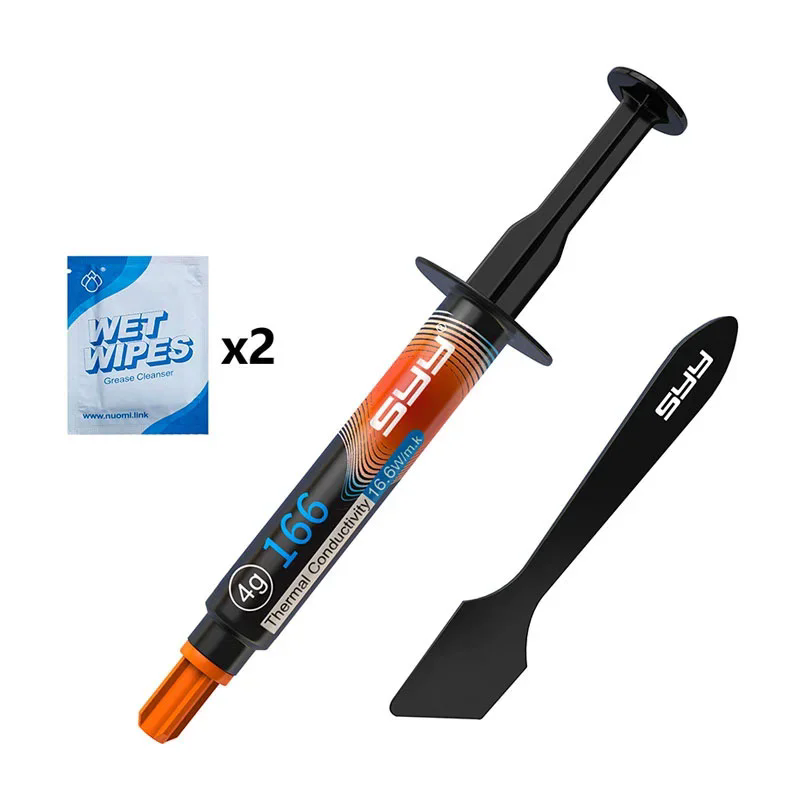
Table of Contents
- 1. What Is CPU Thermal Paste?
- 2. How CPU Thermal Paste Works
- 3. Types of CPU Thermal Paste
- 4. Key Benefits and Problem Solving
- 5. Key Technical Parameters
- 6. How to Apply CPU Thermal Paste Correctly
- 7. How to Choose the Right Product
- 8. Frequently Asked Questions
1. What Is CPU Thermal Paste?
CPU thermal paste, also known as thermal compound or thermal interface material (TIM), is a heat-conductive substance applied between a processor and its heatsink. Its primary function is to eliminate microscopic air gaps and improve thermal conductivity between surfaces.
Air is a poor heat conductor, with extremely low thermal conductivity, while thermal paste significantly improves heat transfer efficiency by filling surface imperfections. :contentReference[oaicite:0]{index=0}
High-quality solutions provided by manufacturers such as Nuomi are designed to ensure stable performance across a wide range of operating temperatures and workloads.
2. How CPU Thermal Paste Works
The working mechanism of CPU thermal paste is based on heat conduction optimization:
- Surface Imperfection Filling: Even polished metal surfaces contain microscopic gaps.
- Air Displacement: Thermal paste replaces insulating air pockets.
- Heat Transfer Enhancement: Creates a continuous thermal path from CPU to heatsink.
Without thermal paste, trapped air significantly increases thermal resistance, leading to overheating and performance throttling. :contentReference[oaicite:1]{index=1}
Typical thermal paste conductivity ranges from 1 W/m·K to over 10 W/m·K, far exceeding air while still complementing metal heatsinks. :contentReference[oaicite:2]{index=2}
3. Types of CPU Thermal Paste
Different types of thermal paste offer varying performance levels and application scenarios:
| Type | Thermal Conductivity | Features | Best Use Case |
|---|---|---|---|
| Silicone-Based | ~1–5 W/m·K | Easy to apply, low cost, non-conductive | General use |
| Ceramic-Based | ~3–8 W/m·K | Stable, safe, durable | Mid-range systems |
| Metal-Based | ~6–12 W/m·K | High performance, conductive | Gaming / high-load CPUs |
| Carbon-Based | ~6–10 W/m·K | Durable, advanced materials | Professional builds |
| Liquid Metal | Up to 70+ W/m·K | Extreme performance, difficult to apply | Overclocking |
Each type balances conductivity, safety, and usability, making selection dependent on specific performance requirements. :contentReference[oaicite:3]{index=3}
4. Key Benefits and Problem Solving
CPU thermal paste directly addresses several critical pain points:
- Overheating Issues: Improves heat dissipation efficiency
- System Instability: Prevents thermal throttling
- Hardware Lifespan: Reduces thermal stress on components
- Noise Reduction: Enables efficient cooling with lower fan speeds
- Energy Efficiency: Maintains optimal operating temperatures
By optimizing thermal transfer, systems can operate at peak performance under sustained workloads.
5. Key Technical Parameters
Understanding technical specifications is essential when selecting thermal paste:
| Parameter | Description |
|---|---|
| Thermal Conductivity | Measured in W/m·K; higher values indicate better heat transfer |
| Viscosity | Affects ease of application and spreadability |
| Electrical Conductivity | Determines safety near electronic components |
| Operating Temperature Range | Ensures stability under extreme conditions |
| Durability | Indicates resistance to drying and degradation |
Thermal paste typically exhibits conductivity around 7.5 W/m·K, significantly improving heat transfer compared to air. :contentReference[oaicite:4]{index=4}
6. How to Apply CPU Thermal Paste Correctly
Proper application is critical for achieving optimal performance:
Step-by-Step Process:
- Clean CPU surface and heatsink with isopropyl alcohol
- Apply a small pea-sized amount of paste
- Mount the heatsink evenly with consistent pressure
- Avoid spreading manually unless required
Common Mistakes to Avoid:
- Applying too much paste (causes insulation effect)
- Uneven mounting pressure
- Using conductive paste without caution
Correct application ensures maximum contact efficiency and minimal thermal resistance.
7. How to Choose the Right Product
When selecting CPU thermal paste, consider the following factors:
- Performance Needs: Gaming vs. standard office use
- Safety: Non-conductive options for beginners
- Durability: Long-term stability under heat cycles
- Ease of Application: Important for first-time users
Professional manufacturers like Nuomi provide a range of solutions tailored to different performance requirements, ensuring consistent thermal management across applications.
8. Frequently Asked Questions
Q1: Is thermal paste really necessary?
A: Yes. Without it, air gaps reduce heat transfer efficiency, leading to overheating and performance issues.
Q2: How often should thermal paste be replaced?
A: Typically every 2–3 years, depending on usage and environmental conditions.
Q3: Can too much thermal paste cause problems?
A: Yes. Excess paste can act as an insulator and reduce cooling efficiency.
Q4: Is liquid metal better than regular paste?
A: It offers superior performance but requires careful handling due to electrical conductivity risks.
Q5: What happens if thermal paste dries out?
A: Heat transfer efficiency decreases, leading to higher CPU temperatures and potential instability.
Conclusion
CPU thermal paste is a small but essential component in any computing system. By improving heat transfer efficiency, it ensures stable operation, prevents overheating, and extends hardware lifespan.
Choosing the right product and applying it correctly can significantly enhance system performance. High-quality solutions from Nuomi provide reliable thermal management for both everyday users and high-performance applications.
Contact us today to learn more about advanced thermal solutions, request product specifications, and get customized recommendations tailored to your needs.